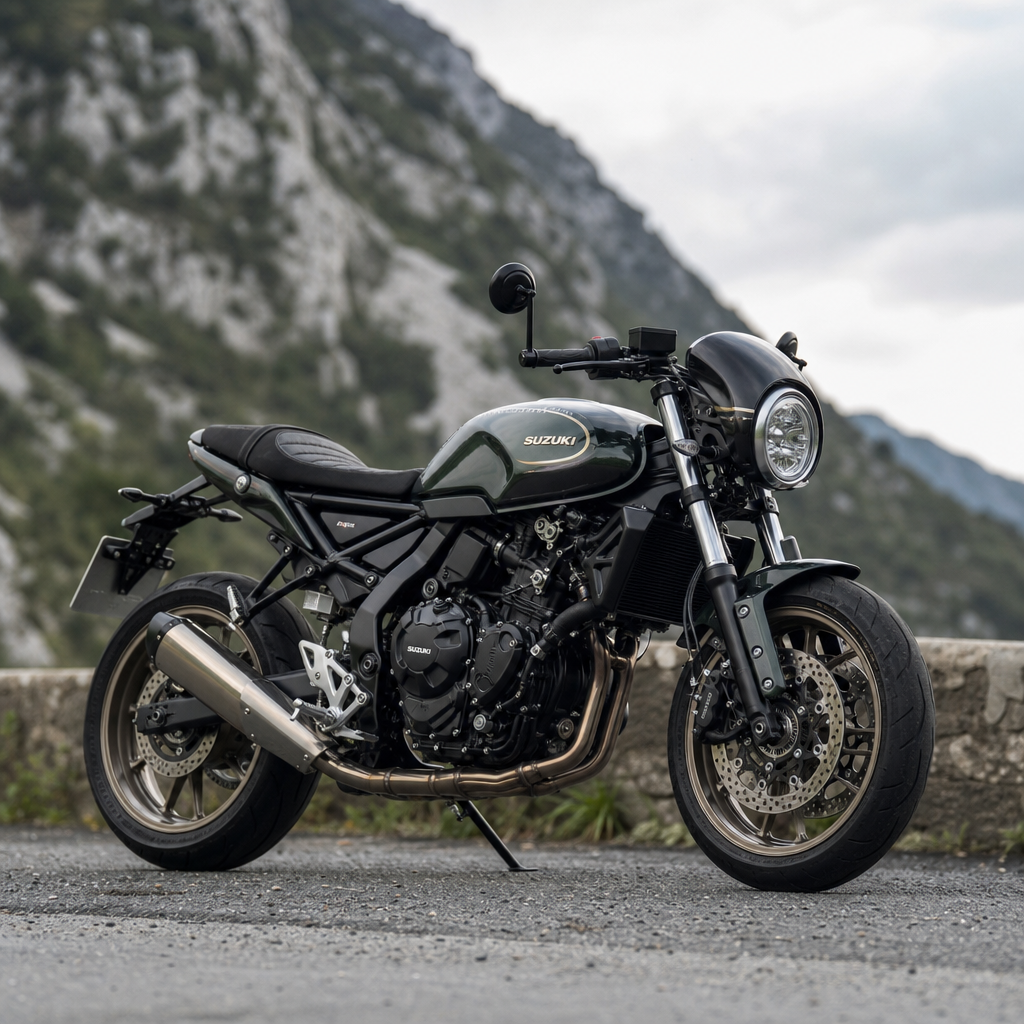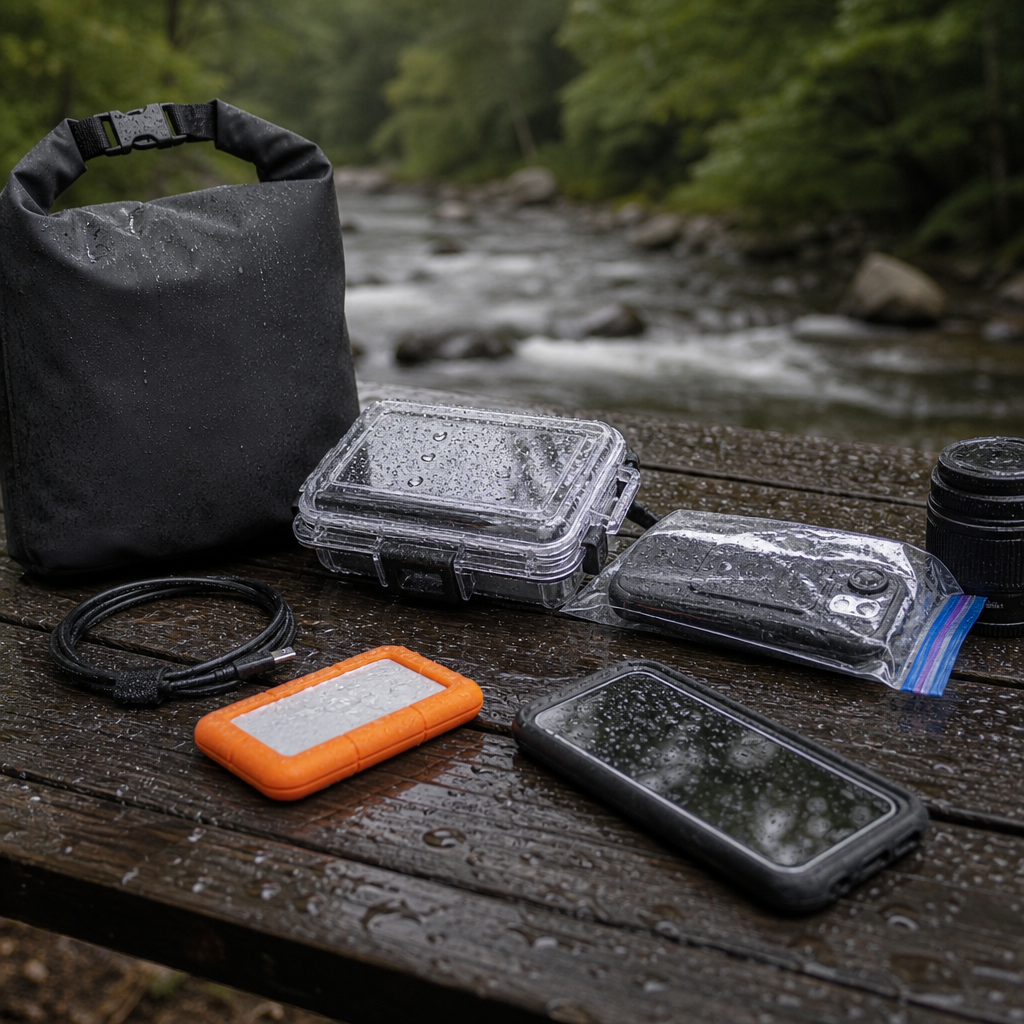
Waterproofing your electronics for a 2026 Southeast tour is no longer a niche concern for hard-core adventure riders; it is a core part of ADV and BDR technical prep because navigation, communication, payment, lighting, and emergency response now depend on powered devices that fail quickly when heat, vibration, humidity, and water combine. In the Southeast, that combination is constant. A Blue Ridge route can begin in cool mountain fog, drop into afternoon thunderstorms, cross shallow water, and end in ninety-degree humidity that creeps into ports, switches, and seams overnight. I have seen riders protect a $20,000 motorcycle well and lose a trip because a charging lead corroded, a phone overheated inside a “waterproof” pouch, or a GPS cradle shorted after one storm.
Waterproofing means more than keeping rain off a screen. For electronics, it includes water resistance, dust sealing, cable strain relief, corrosion prevention, thermal management, power redundancy, and packing methods that keep gear dry even when luggage takes a hit. The key terms matter. IP ratings describe lab-tested ingress protection, with the first digit covering solids and the second covering liquids. A device rated IP67 can usually survive dust and temporary immersion, while IPX4 only indicates splash resistance. None of these ratings guarantee survival when a connector is open, a gasket is worn, or a mount transfers repeated shock into a circuit board. For a Southeast ride, especially one mixing pavement, forest service roads, and Backcountry Discovery Route style segments, practical waterproofing always matters more than marketing language.
This hub article covers the full system: what to protect, which standards to trust, how to build a wet-weather charging setup, what changed in the 2026 and emerging 2027 gear landscape, and how to inspect electronics before departure. It also serves as the central guide for deeper articles in this ADV and BDR technical prep series, helping you decide what belongs on the bars, what belongs in luggage, and what should never ride exposed in Southern summer weather.
Why Southeast conditions punish electronics faster than many riders expect
The Southeast is uniquely hard on devices because water is only one part of the exposure profile. Riders deal with prolonged humidity, red clay dust that becomes conductive mud, repeated thermal cycling, UV exposure, and the kind of convective storms that soak a cockpit from every angle. In practice, the most common failures I encounter are not dramatic drownings; they are small system degradations. USB ports loosen. O-rings pick up grit. Condensation forms inside action camera housings during elevation changes. Contacts oxidize after being packed wet for two nights. If your route includes the Smokies, Pisgah, Chattahoochee, the Georgia Traverse, portions of the Smoky Mountain 500, or Florida sand after rain, you are exposing electronics to vibration and moisture simultaneously, which is exactly where consumer-grade accessories fall apart.
That is why your prep should start with a risk map, not a shopping list. Divide gear into mission-critical, ride-critical, and convenience devices. Mission-critical includes phone, GPS, satellite communicator, and battery power for emergency contact. Ride-critical includes helmet comms, auxiliary lighting controls, tire inflator electronics, and camera power if you rely on recording for incident documentation. Convenience devices include tablets, drones, laptops, and camp speakers. Once categorized, you can assign each item a wet-use strategy, a transport strategy, and a backup plan. This simple framework prevents the most expensive mistake riders make: assuming every device needs the same level of exposure protection.
What to waterproof first: the high-risk electronics stack
For most riders, the electronics stack begins with the handlebar zone because it takes direct rain, spray, and vibration. Start with the phone or dedicated GPS. Modern rugged devices such as the Garmin Tread series, Garmin zumo XT2, and selected Kyocera or Samsung models with strong IP ratings survive weather better than typical flagship phones, but the weak points are still mounts and power interfaces. Wireless charging reduces exposed pins, yet many chargers lose efficiency in heat and can trigger thermal shutdown in direct sun. In the Southeast, I prefer wired primary power for a dedicated GPS and wireless only as a secondary option for a phone used intermittently, not as the sole navigation source on a July day.
Next comes the power distribution layer. Inline fuse blocks, switched accessory managers such as DENALI PowerHub2, HEX ezCAN on compatible platforms, and PDM60 style modules help centralize wiring, but every junction must be sealed and strain relieved. Use marine-grade heat shrink, adhesive-lined connectors, and dielectric grease selectively on non-data electrical contacts. Avoid slathering grease inside USB-C data ports; use protective caps instead. Helmet communicators are often weather resistant, yet charging ports remain vulnerable after a day of rain and sweat. Dry them fully before connecting power at camp. Action cameras deserve equal attention. Even when the camera body is sealed, external microphone adapters, battery doors, and third-party charging doors often void the water resistance you thought you had.
| Device | Main risk in Southeast riding | Best waterproofing approach | Backup strategy |
|---|---|---|---|
| Phone | Overheating, wet charging port, vibration damage | Rain-rated mount, tether, sealed pouch only when parked, port cap | Offline maps on secondary device |
| Dedicated GPS | Cradle corrosion, exposed power pins | Hardwired mount, dielectric grease on cradle contacts if manufacturer allows | Printed route notes or GPX on phone |
| Satellite communicator | Pocket moisture, forgotten charging cycle | Keep on body in zip pouch, charge from dry bag power bank | Share itinerary and check-in schedule |
| Helmet comms | Sweat ingress, wet charging after ride | Close port cover, dry overnight before charging | Hand signals and preplanned regroup points |
| Action camera | Compromised battery door, fogging lens | Use OEM seals, anti-fog inserts, inspect latch each day | Skip external power in heavy rain |
Reading IP ratings, mount specs, and connector claims correctly
An IP rating is useful only when you understand its limits. IP67 and IP68 are strong indicators for a sealed device body, but they do not automatically apply to an attached cable, an open port, a cracked screen, or a third-party case. IPX7 means a product was tested for water without a dust rating; it is not automatically “better” than IP67. Many mounts and chargers avoid full IP claims and instead use softer language such as weather resistant, rainproof, or water repellent. Treat those products as splash-tolerant only unless the manufacturer publishes a test standard. SAE J575, MIL-STD-810H environmental references, and clear operating temperature ranges are stronger signals than vague marketing copy.
Connectors deserve special scrutiny for 2026 touring builds. USB-C has become dominant, but it is not inherently trail-friendly. The standard is compact and powerful, yet small contaminants and cable wiggle cause charging drops. Magnetic adapters are convenient but create another failure point and can trap moisture. SAE two-pin remains excellent for simple battery charging and low-cost accessories because it is robust and easy to service, though it is not elegant. Waterproof bulkhead pass-throughs from marine suppliers often outperform motorcycle-specific accessories because the boating world solved wet power management years ago. When I build a travel bike, I borrow heavily from marine electrical practice: tinned copper wire, adhesive heat shrink, sealed fuse holders, and drip loops wherever possible.
Building a charging system that survives storms, river splashes, and camp humidity
The most reliable charging system for a Southeast tour separates exposed power from sheltered charging. On-bike, run only what must stay active during movement: GPS, an intercom if needed, and possibly a camera for short segments. Keep bulk charging inside luggage. A tank bag with a cable pass-through sounds tidy, but many leak under pooled rain unless they use welded construction and proven zippers such as YKK AquaGuard or truly submersible designs from Watershed or similar dry-bag makers. Roll-top inner dry bags remain the safest solution. Store power banks, wall chargers, spare camera batteries, and device-specific cables inside color-coded pouches so a wet campsite does not become a cable hunt.
Power banks matter more in 2026 than they did a few years ago because devices are brighter, hotter, and more power hungry. Choose units from established brands such as Anker, Nitecore, BioLite, or Goal Zero with USB-C PD output, clear wattage labeling, and no swelling history. For laptops or camera ecosystems that require higher draw, verify the bank can supply the actual voltage profile your device expects. Many riders assume a large-capacity bank solves everything, but charging speed drops sharply when cheap cables get damp or connectors oxidize. Carry duplicate short cables in sealed bags and one known-good long cable for camp. Label them by function. This is mundane, but it prevents troubleshooting in the dark during rain.
When camping, create a dry charging station rather than plugging devices in wherever there is space. I use a lightweight zip case lined with microfiber cloth, desiccant packs, and a tiny headlamp so port inspection is easy. Every device gets wiped before charging. If a phone port is damp, do not force current into it. Let it air dry, use a port-cleaning tool approved for electronics, or switch to wireless charging indoors if the device supports it and heat is manageable. Corrosion usually starts from impatience, not weather alone.
Cases, pouches, and luggage choices that actually work on ADV and BDR routes
Not all waterproof storage is equal, and route type changes what works. Hard panniers protect against impact and theft, but many are merely water resistant once dust deforms the lid seal. Soft luggage from systems such as Mosko Moto, Giant Loop, Kriega, Enduristan, and Lone Rider often performs better in prolonged rain because the dry-bag liner or roll-top bag is the actual waterproof barrier. For electronics, a bag-inside-a-bag method is best: device in padded sleeve, sleeve in small dry pouch, pouch in larger luggage. This layered method protects against punctures and against the all-too-common mistake of opening a main bag during rain and exposing everything at once.
Bar-mounted phone pouches deserve caution. They can keep rain off, but they trap heat and often reduce touch sensitivity. In the Southeast summer, overheating is a more common failure mode than direct water intrusion for flagship phones running navigation at full brightness. If you use a pouch, reserve it for transport between storms or as a secondary storage solution, not a permanent operating environment. For tablets and laptops carried for content work or remote travel planning, use IP-rated sleeves only as secondary protection; the primary defense should be a dry bag or hard case such as a Pelican, Nanuk, or SKB when weight and space permit.
2026 and 2027 updates every rider should factor into technical prep
The 2026 and early 2027 planning window changes waterproofing decisions in several practical ways. First, USB-C is now effectively universal across most premium phones, many GPS accessories, helmet communicators, battery banks, and compact cameras because of broad market standardization. That simplifies cable kits, but it also means one contaminated connector type can disrupt your whole system. Carry more than one cable brand and at least one sealed adapter strategy. Second, more navigation workflows now depend on cloud-synced GPX libraries, live weather overlays, and collaborative route apps. For Southeast travel, assume intermittent signal in mountain valleys and preload everything: maps, alternate tracks, fuel stops, and lodging confirmations.
Third, newer devices increasingly prioritize slimness over repairability. Adhesive-sealed phones may resist rain well, yet repeated heat cycles on handlebars accelerate battery wear and increase thermal throttling. Fourth, motorcycle electronics are integrating deeper with app ecosystems. TFT dashboards, Bluetooth pairing, tire pressure sensors, and accessory controllers add convenience but increase troubleshooting complexity when moisture or low voltage enters the system. Keep your critical navigation independent of the motorcycle’s infotainment layer. Finally, hurricane-season disruption remains a serious routing factor for Southeast tours in 2026 and 2027. Power outages, cell congestion, washed-out roads, and sudden detours all favor riders who protect offline-capable devices and maintain redundant charging options.
Pre-departure inspection, field repair, and the hub articles this guide should feed
Before departure, test every component in the exact configuration you will ride. Mount the devices, connect the cables, spray lightly with water where appropriate, and verify charging stability over rough roads. Check torque on mounts, inspect all port covers, update firmware, download offline maps, and confirm emergency contacts on your lock screen and satellite messenger. Pack a micro repair kit with adhesive-lined heat shrink, self-fusing silicone tape, spare fused lead, lens cloth, desiccant, contact cleaner safe for electronics, and one compact multimeter or test light if your bike has a complex accessory setup. On the road, if an exposed device gets soaked, power it down if behavior becomes erratic, dry the contacts, and isolate the fault instead of reconnecting everything repeatedly.
As the hub for ADV and BDR technical prep and 2026/2027 updates, this page should connect naturally to deeper resources on GPS device selection, luggage waterproofing, satellite communicator setup, route planning for Southeast storm season, charging systems for camp and bike, and pre-ride electrical inspections. The main lesson is straightforward: waterproofing electronics is not a single product purchase. It is a layered system built around exposure control, robust power delivery, redundancy, and daily inspection. If you are preparing for a Southeast tour, audit your electronics this week, replace weak links before departure, and build a setup that still works after the third day of rain, not just the first.
Frequently Asked Questions
Why is waterproofing electronics such a big deal for a 2026 Southeast tour?
Because in the Southeast, electronics are exposed to multiple failure points at the same time, not just occasional rain. A typical day can start in cool fog, shift into high humidity, turn into a hard afternoon thunderstorm, include creek crossings or spray from muddy roads, and end in hot, stagnant air that traps moisture inside cases, ports, and bags. That combination matters because most device failures do not happen only when a phone or GPS gets visibly soaked. They happen when water, condensation, heat, vibration, and power delivery interact over hours or days. Corrosion begins inside charging ports, seals weaken under repeated temperature swings, cable ends loosen under vibration, and battery performance can drop when moisture reaches connectors or internal contacts.
For modern adventure and BDR-style travel, that risk is bigger than it used to be. Riders now rely on electronics for navigation, satellite communication, mobile payments, route sharing, bike diagnostics, camp lighting, action cameras, and emergency response. If one critical device goes down, the inconvenience can cascade. A wet phone can mean no maps, no contactless payment, no camera, and no emergency communication app access. A failed USB hub can take out your navigation and charging strategy at the same time. In other words, waterproofing is no longer about protecting optional gadgets; it is about protecting the systems that make the trip function safely and efficiently.
The most important mindset shift is this: “waterproof” is not a single product feature that solves everything. It is a layered system. You want weather-resistant devices, protected mounting locations, sealed power connections, controlled cable routing, dry storage for backups, and a charging plan that avoids exposing sensitive ports when conditions are worst. On a Southeast tour, riders who think in systems usually avoid problems. Riders who trust one waterproof case or one IP rating often discover the difference between surviving a brief rain shower and enduring several days of wet, hot, vibration-heavy riding.
What electronics should I prioritize first when building a waterproofing plan?
Start with mission-critical devices, meaning anything tied to navigation, communication, safety, and bike operation. For most riders, that includes a primary navigation device such as a phone, dedicated GPS, or tablet; a communication tool such as a satellite messenger or inReach-style unit; the charging system that keeps those devices alive; and any device needed for emergencies, including a phone with offline maps and medical information. If you use auxiliary lights, helmet comms, or a diagnostic interface that matters to roadside repair decisions, those should also be included in the first tier of protection.
After that, prioritize by consequence of failure rather than by replacement cost. A cheap USB converter that fails in the rain can be more disruptive than an expensive camera because it can disable your charging ecosystem. A phone mount with poor vibration control can be more dangerous than a slightly exposed action camera because it affects navigation in real time. Likewise, exposed fuse blocks, SAE connectors, battery tender leads, and add-on power distribution modules deserve more attention than riders often give them. These are the invisible weak links that frequently cause electrical headaches on wet tours.
A smart packing strategy uses three tiers. Tier one is always-on, always-needed gear: mounted navigation, power feeds, and emergency communications. Tier two is frequently used but not always exposed gear: earbuds, headlamps, battery banks, camera batteries, and charging bricks. Tier three is optional or convenience electronics: drones, secondary cameras, laptops, and camp entertainment devices. Build the strongest waterproofing around tier one, solid dry storage around tier two, and removable protection around tier three. That approach keeps you from overengineering low-value gear while leaving important systems vulnerable.
It also helps to have redundancy inside the priority list. For example, many experienced riders carry a dedicated GPS or offline map device on the bars and keep a phone sealed in a jacket pocket or tank bag as a protected backup. Others use a primary phone for daily navigation but carry a second weatherproof battery bank and preloaded offline maps on another device. The goal is not simply to keep electronics dry; it is to make sure one wet failure does not end your route, your communication options, or your ability to solve the next problem.
Are waterproof cases and IP ratings enough, or do I need a more complete setup?
IP ratings and waterproof cases are useful, but they are only part of the solution. An IP67 or IP68 rating generally means a device can survive a defined level of dust protection and temporary water exposure under laboratory conditions. That does not automatically mean it will tolerate hours of wind-driven rain at highway speed, repeated cable insertion, muddy spray, intense vibration, solar heat on a handlebar mount, or being charged while wet. In real-world Southeast conditions, those details matter more than the rating alone.
One of the biggest misunderstandings involves charging. Many devices are reasonably water-resistant when all seals and port covers are closed, but far more vulnerable once a cable is plugged in. If you are actively charging a phone on the bars during a storm, you are often exposing the weakest point in the system. That is why wireless charging cradles, pogo-pin charging systems, or protected mount-specific charging solutions can be a better choice than standard USB cable charging for wet routes. Even then, not all wireless or contact-based systems are equal. Heat management, mount stability, and waterproof integrity under vibration should be evaluated carefully.
A complete setup usually includes several layers: a device with strong weather resistance; a mount that sheds water rather than pooling it; cables with sealed or protected connections; dielectric grease or weatherproof boots where appropriate; a charging strategy that avoids open ports in bad weather; and dry storage when the device is not actively in use. It may also include relocating power hubs and converters to less exposed areas on the bike, using waterproof pouches inside luggage, and carrying desiccant packs to manage trapped moisture.
Think of waterproofing as risk reduction, not absolute prevention. A good case can keep direct rain out, but it may also trap heat. A port cover can block splash, but repeated use can weaken it. A mount can protect against vibration, but a poor angle can direct road spray into seams. The strongest setups balance exposure, heat, vibration, and usability. So yes, waterproof cases and IP ratings matter, but they are not enough by themselves if you are preparing for a full Southeast tour where wet conditions are routine, prolonged, and combined with other stresses.
What are the best practical ways to waterproof charging systems, mounts, and cable connections on the bike?
Begin with the power source and work outward. Use quality, motorcycle-specific power components whenever possible, especially for USB outlets, voltage converters, fuse blocks, and harnesses. Cheap adapters often fail not because they get submerged, but because humidity and vibration degrade internal solder joints and connector fitment. Mount converters and distribution components in sheltered locations such as behind fairings, under seats, or inside protected compartments rather than directly exposed on handlebars. Secure everything firmly so wires are not flexing continuously over rough terrain.
For cable management, route wires with drip loops where possible so water is less likely to travel directly into a connection point. Avoid tight bends at plugs, and use abrasion-resistant sheathing in areas where cables contact frames, bars, or luggage. Heat-shrink tubing, self-fusing silicone tape, sealed connectors, and rubber boots can all help, but they need to be used thoughtfully. The goal is not to smother every cable in material; it is to protect connection points while still allowing inspection and serviceability. Overwrapped, inaccessible wiring often hides corrosion until the system fails completely.
Charging ports deserve special attention. If your navigation device charges by USB-C or Lightning while mounted, that exposed port is usually the first place to improve. Many riders reduce risk by charging devices inside a tank bag or dry bag while riding through severe weather, then switching back to the mount later. Others move to a mount with integrated weather-resistant charging contacts. If you must use a cabled setup, choose high-quality short cables with tight fitment, strain relief, and minimal slack. Loose cables collect movement, and movement invites both water ingress and connector wear.
For connectors that are not opened often, weatherproof sealing methods can be very effective. Marine-grade connectors, sealed inline fuse holders, and properly crimped waterproof terminals are worth the upgrade. A small amount of dielectric grease can help reduce moisture intrusion and corrosion at certain non-data electrical connections, though it should be used appropriately and not as a substitute for a bad connector or poor fitment. On the luggage side, keep charging bricks, battery banks, and spare cables in separate internal dry pouches rather than assuming your pannier or duffel is perfectly sealed. Condensation inside “waterproof” luggage is common in the Southeast.
Finally, field-test the whole system before the trip. Run the bike in the rain, wash it carefully, or simulate wet conditions at home and then inspect every connection point. Look for charging interruptions, fogging inside cases, warmth buildup, and water pooling around mounts. The best waterproofing strategy is the one you have already tested under realistic conditions, not the one that looked good on a bench the night before departure.
How can I protect electronics from humidity and condensation, not just direct rain and water crossings?
This is one of the most overlooked parts