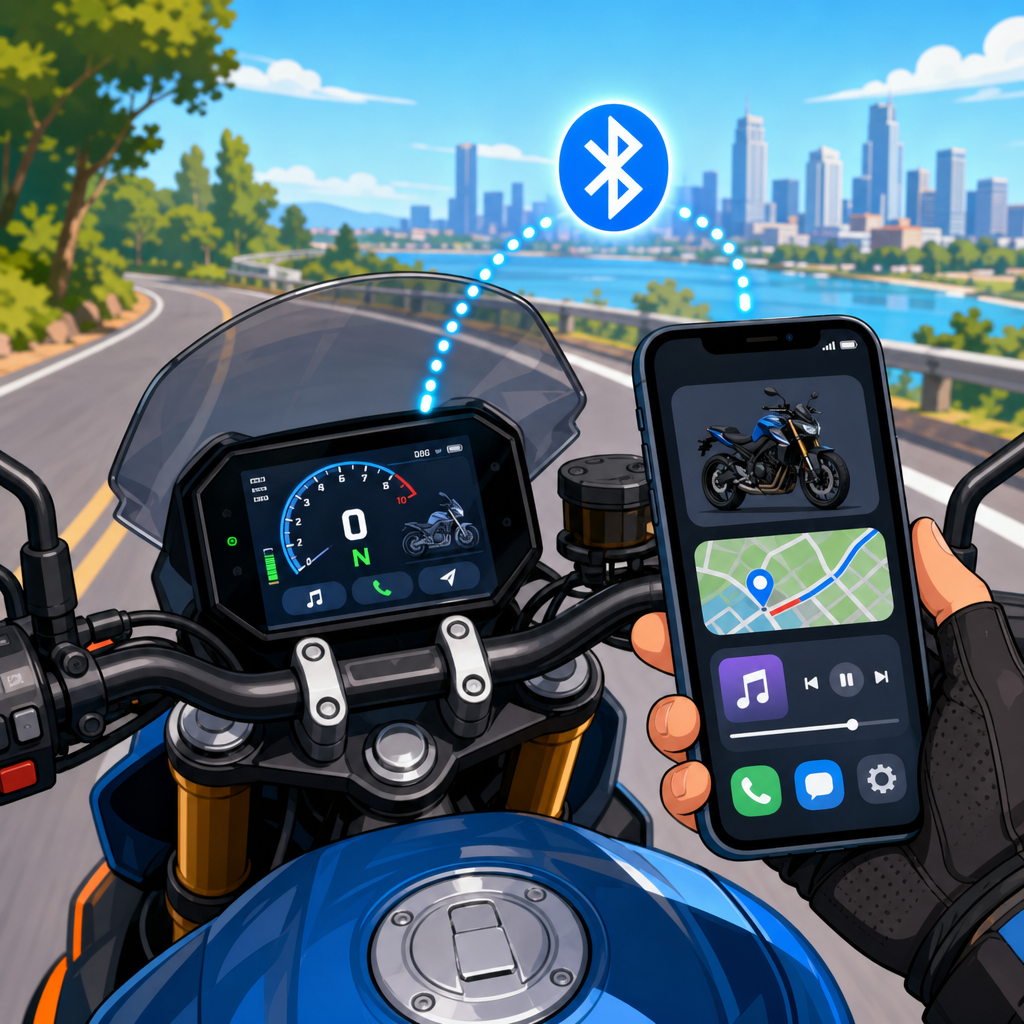
Bluetooth dashboard integration lets a modern motorcycle share data with your phone, headset, navigation apps, and service tools, turning the cockpit of a 2026 bike into a connected control center. For riders shopping the latest machines, “Bluetooth dashboard integration” usually means pairing a TFT or LCD instrument cluster with a smartphone through Bluetooth Low Energy, a companion app, and sometimes Wi-Fi for map downloads or firmware updates. In practice, that connection can display turn-by-turn directions, music controls, caller information, tire pressure alerts, ride logs, and maintenance reminders directly on the dash. I have set up these systems on touring bikes, naked bikes, and adventure models, and the pattern is consistent: the hardware is capable, but the result depends on pairing order, app permissions, headset compatibility, and realistic expectations about what each brand supports.
This matters because manufacturers now treat connectivity as part of the ownership experience, not a novelty. Riders expect the same seamless integration they get from a car infotainment system, but motorcycles add constraints: gloves, helmet audio, bright sunlight, vibration, limited controls, and safety requirements that restrict touch interaction while moving. A useful connected dashboard reduces distraction by putting essential information in one glanceable place. A poorly configured one creates duplicate notifications, dropped audio, dead phone batteries, and navigation failures at the worst moment. If you understand the terms, know the pairing sequence, and choose the right accessories, you can make your 2026 bike and phone work together reliably and safely.
At the hub level, Tech & Comms covers four connected layers. First is the bike itself: the dashboard, switchgear, onboard control units, and built-in Bluetooth radio. Second is the phone: iPhone or Android, the brand app, operating system permissions, and background battery settings. Third is rider gear: helmet communicators from Cardo, Sena, or factory-branded systems that often use standard Bluetooth profiles but differ in behavior. Fourth is the service ecosystem: firmware updates, ride analytics, diagnostics, theft tracking, and optional accessories like TPMS sensors, action cameras, and GPS modules. Understanding how these layers interact helps you evaluate every related article in this section, from communicator setup to charging mounts and navigation workflows.
Most 2026 motorcycles with connected dashboards use a similar architecture. The dash pairs to the phone for data access, then either sends audio control to a helmet communicator or lets the phone connect directly to the headset for calls and music. Some brands support mirrored navigation through their app; others only show directional arrows. A few premium systems integrate with Apple CarPlay or Android Auto, but many still rely on proprietary software because motorcycle interfaces must remain simple, weather resistant, and operable through a joystick or four-way switch. The key question is not “Does it have Bluetooth?” but “Which functions are supported, with which devices, and in what connection order?” That is where setup success lives.
What Bluetooth dashboard integration actually includes on a 2026 motorcycle
On current bikes, dashboard integration usually bundles communication, navigation, media, and vehicle telemetry. Communication includes caller ID, call answer or reject controls, message previews where regulations allow, and intercom integration through a helmet unit. Navigation typically means turn arrows, street names, ETA, and hazard alerts from the companion app, though only a minority of bikes provide full map tiles on the dash. Media functions cover play, pause, skip, source selection, and volume adjustment through handlebar controls. Vehicle telemetry can include fuel range, battery voltage, ambient temperature, lean-angle records, service intervals, riding mode status, and tire pressure. Some systems also upload ride history to the cloud and sync route plans from your phone before departure.
The Bluetooth standards behind these features are ordinary, but implementation varies. Hands-Free Profile handles calls, Advanced Audio Distribution Profile handles stereo audio, and AVRCP manages remote media commands. Bluetooth Low Energy is commonly used for low-power data links between the phone app and the motorcycle. In the workshop, I often see confusion caused by bikes trying to be the central hub for every device. One brand expects the phone to connect to the bike and the helmet to the bike. Another wants the phone connected to the headset directly, with the bike only pulling data from the app. Both can work, but mixing the wrong topology creates dropped calls or no voice prompts.
Manufacturers differ sharply in maturity. BMW, Harley-Davidson, Honda, KTM, Ducati, Yamaha, and Triumph all offer connected dashboards on select 2026-range models, yet feature depth varies by trim level and market. Entry models may provide only call and music controls, while touring or premium adventure bikes add route planning, vehicle status pages, and over-the-air software updates. Some systems support multilingual voice guidance and live traffic if the app is active in the background. Others require the screen to stay unlocked or the app to be excluded from battery optimization. Reading the spec sheet is not enough; owners should check the exact app version, supported phone OS, and helmet compatibility notes before assuming every advertised function will work on day one.
How to connect your 2026 bike to your phone step by step
The cleanest setup starts with updates. Before pairing anything, install the latest motorcycle app, confirm your phone is on a supported iOS or Android version, and update your helmet communicator through Cardo Connect, Sena Motorcycles, or the manufacturer utility. On the bike, check for dashboard firmware updates at the dealer or through the app if wireless updating is supported. Then clear old pairings from the bike, phone, and headset. In my experience, recycled pairings from a previous motorcycle account for a large share of initial failures, especially when a headset automatically reconnects to the wrong device from your garage or last test ride.
The safest sequence is bike first, phone second, headset third, unless your brand specifies otherwise. Pair the phone to the bike through the dash menu and confirm permissions for contacts, notifications, location, Bluetooth, and background refresh. Open the brand app and complete account login, vehicle registration, and any privacy prompts. Next, pair the helmet communicator either to the bike or the phone according to the brand’s instructions. Finally, test each function separately: place a call, start music, load a route, and verify that turn prompts and media controls behave correctly. Do this in your driveway, not at the first intersection of a trip, because many dashboards need one ignition cycle before all services initialize properly.
| Task | What to do | Common mistake | Best result |
|---|---|---|---|
| Update software | Install latest app, phone OS, headset firmware, and dash firmware | Skipping one device update | Fewer pairing and audio bugs |
| Clear pairings | Delete all old bike, phone, and headset connections | Leaving previous bikes saved | Clean handshake between devices |
| Pair phone to bike | Use dash menu and grant all requested permissions | Denying contacts or location access | Calls, nav, and ride data work |
| Pair headset | Follow brand-specific routing for audio | Connecting headset to both bike and phone incorrectly | Stable calls and voice prompts |
| Road test | Check calls, music, and navigation before leaving | Assuming connection equals full function | Reliable performance on the ride |
If setup fails, troubleshoot by isolating one link at a time. First confirm the phone and app can see the bike when stationary. Then verify the helmet can receive audio from the intended source. If navigation data appears on the phone but not the dash, the issue is usually an app permission, background restriction, or unsupported region feature. If music works but calls do not, the call profile may be assigned to the wrong device in Bluetooth settings. Android users should disable aggressive battery management for the companion app; Samsung, Xiaomi, and OnePlus devices are frequent offenders. iPhone users should confirm Focus modes are not suppressing alerts and that Bluetooth access is enabled for the brand app.
Choosing the right phone, mount, headset, and app ecosystem
Your phone is the engine of the system, so compatibility matters more than brand loyalty. Newer iPhones generally offer predictable Bluetooth behavior and long software support, while leading Android phones can provide brighter screens, USB-C flexibility, and better multitasking. Either works well if the manufacturer officially supports it. Storage matters if your app downloads offline maps, and battery health matters because navigation, mobile data, and constant Bluetooth traffic can drain older phones fast. I recommend at least 128GB of storage, strong daylight brightness, and a battery above 85 percent health. If you use a physical mount as backup to the dashboard, choose a vibration-damped system from Quad Lock, Peak Design, or SP Connect to protect camera modules.
Helmet communicators deserve equal attention because they often determine whether the whole experience feels premium or frustrating. Cardo’s Dynamic Mesh Communication models are strong for group rides and usually deliver clean JBL-tuned audio, while Sena remains common due to broad brand partnerships and integrated OEM kits. The important question is not just sound quality; it is multipoint behavior, voice assistant support, firmware cadence, and how the unit handles simultaneous bike prompts, intercom chatter, and music. On some setups, direct phone-to-headset pairing gives the most stable voice assistant access. On others, routing everything through the bike provides cleaner handlebar control. Test your preferred use case rather than assuming the default recommendation fits your riding style.
The app ecosystem is where dashboards either become genuinely helpful or remain underused. A good companion app should sync routes, remember paired devices, log rides automatically, present service reminders clearly, and recover gracefully after a phone reboot. It should also explain privacy settings in plain language. Many riders are comfortable sharing ride history for maintenance and trip review, but fewer want continuous location storage. Review what data the app keeps, whether cloud syncing is optional, and how account recovery works if you change phones. Across this Tech & Comms hub, those same principles apply to navigation apps, action camera apps, anti-theft trackers, and tire pressure monitoring systems: stable software and transparent settings matter as much as hardware specifications.
Safety, privacy, and real-world limitations riders should know
Connected dashboards improve convenience, but they are not risk-free or perfect. The biggest safety rule is simple: set your route, music, and communication preferences before moving. Handlebar controls are safer than tapping a phone screen, yet even a glance at a dense menu can steal attention from traffic. That is why many motorcycle systems intentionally limit text display and disable certain interactions while riding. Riders should also remember that Bluetooth audio can mask mechanical warning sounds, sirens, or gravel noise if volume is too high. Use voice prompts sparingly, keep one part of your attention on the machine, and never let navigation confidence override road signs, closures, or changing weather conditions.
Privacy deserves the same seriousness as convenience. A companion app may store VIN-linked data, trip histories, service records, and frequent destinations. If the account is weakly secured, a stolen phone can expose more than contacts and messages. Use a strong password, enable two-factor authentication when available, and remove the bike from your account before sale or trade-in. Public charging stations and unknown USB ports are another overlooked risk; if you need power on a trip, use your own cable and a trusted 12V or USB-C charger on the bike. Wireless charging mounts are convenient, but many generate extra heat in summer, and heat is one of the fastest ways to reduce phone battery life and trigger screen dimming.
Finally, accept the limitations. Bluetooth remains a short-range radio system affected by interference, crowded urban environments, low headset battery, and software bugs. Waterproof does not mean every phone can survive a four-hour storm on a naked bike. A dashboard route display is not always a substitute for a dedicated GPS when riding remote terrain with poor cell coverage. For long tours, I still advise downloading offline maps, carrying a charging solution with weather protection, and learning the bike’s basic functions without depending on the app. Used correctly, Bluetooth dashboard integration is a practical upgrade that makes a 2026 motorcycle easier to live with. Start with compatible gear, follow the pairing order, test every function at home, and explore the rest of this Tech & Comms hub to build a connected setup that works every ride.
Frequently Asked Questions
What does Bluetooth dashboard integration actually do on a 2026 motorcycle?
Bluetooth dashboard integration turns your bike’s instrument cluster into a communication hub between the motorcycle, your smartphone, and in many cases your helmet headset. On most 2026 motorcycles, this means the TFT or LCD dashboard can pair with a phone through Bluetooth Low Energy and work with a manufacturer app to show selected phone functions directly on the screen. Depending on the bike and app, you may see turn-by-turn navigation prompts, incoming call information, music controls, message alerts, ride statistics, fuel range data, maintenance reminders, tire pressure information, and even riding mode or trip logging features.
For many riders, the biggest advantage is convenience. Instead of mounting your phone in plain view and handling it while riding, the bike can present the most useful information in a safer, more integrated format. Some systems also connect to a Bluetooth helmet communicator, allowing the dashboard to act like a middleman between the phone and headset so you can manage calls, audio, and navigation prompts with handlebar controls. Higher-end systems may also use Wi-Fi alongside Bluetooth for downloading maps, updating software, or syncing larger amounts of data more quickly.
It is important to understand that not every motorcycle brand offers the same feature set. One 2026 bike may support full navigation, music, and headset control, while another may only provide basic call alerts and service notifications. In other words, “Bluetooth dashboard integration” is a broad term, and the real-world experience depends on the bike’s display hardware, the quality of the companion app, and how well it supports your phone’s operating system.
How do I connect my 2026 bike to my phone for the first time?
The first-time setup is usually straightforward, but the exact order matters. Start by making sure your motorcycle is in accessory or ignition-on mode and that the battery is healthy enough to keep the display powered during setup. Then download the manufacturer’s official app on your iPhone or Android device, create or sign into your account if required, and allow the permissions the app asks for. These permissions often include Bluetooth access, notifications, contacts, location services, and sometimes background activity. Riders often skip these prompts, but many dashboard functions will not work correctly unless the proper permissions are enabled.
Next, open the motorcycle’s connectivity or pairing menu on the dashboard. On some bikes, the motorcycle itself appears in your phone’s Bluetooth list. On others, pairing is initiated through the app first, and the app guides the bike and phone through the connection process. If your system also supports a helmet headset, it is usually best to follow the brand’s recommended pairing sequence, because some bikes want the phone paired to the dashboard first and the headset paired second. Others work more reliably if the headset is paired after the phone has already completed app synchronization.
Once the phone and dashboard recognize each other, confirm any passcodes or pairing requests shown on the bike and the phone. After that, let the app finish its setup, which may include downloading bike profiles, syncing firmware information, or enabling map services. Before your first ride, test the system while stationary. Verify that navigation prompts appear, music controls respond, calls can be managed as expected, and any connected headset receives audio. If something only partially works, double-check app permissions, background battery settings, and whether your phone is trying to connect to old Bluetooth devices at the same time. A clean setup from the start saves a lot of frustration later.
Why won’t my motorcycle dashboard stay connected to my phone?
Connection issues usually come down to one of a few common causes: app permissions, battery-saving restrictions, competing Bluetooth pairings, outdated software, or an incorrect pairing order. Modern bikes rely on a combination of Bluetooth protocols and app-based communication, so even if your phone says it is “connected,” the dashboard may still lose certain functions if the app is not allowed to run properly in the background. This is especially common on phones with aggressive battery optimization features that put companion apps to sleep after a few minutes.
Another frequent problem is device conflict. If your phone is trying to connect simultaneously to your bike, your helmet headset, your smartwatch, your car, and another audio device, the connection chain can become unstable. Some motorcycle systems expect the phone to connect to the bike and the headset to connect through the bike, not independently. If that chain gets broken, you may lose call audio, navigation prompts, or music control even though one part of the system appears to be paired. Removing old pairings from the phone, dashboard, and headset and then reconnecting everything in the correct order often fixes this.
Software also matters more than many riders expect. A dashboard running older firmware and a phone using the latest version of iOS or Android may not communicate reliably until updates are installed. If you are having repeated disconnects, update the motorcycle’s app, check for dashboard firmware updates, reboot your phone, and re-pair from scratch. It also helps to keep Wi-Fi and cellular service active when the app depends on cloud login, map syncing, or service authentication. If problems continue, consult the manufacturer’s compatibility list, because some features may be limited on certain phones or operating system versions even when basic Bluetooth pairing works.
Can I use Bluetooth dashboard integration for navigation, music, and calls at the same time?
In many cases, yes, but whether all three work smoothly at once depends on how your motorcycle’s system is designed. Most 2026 connected dashboards can manage some combination of navigation prompts, media control, and phone functions through a single smartphone connection, especially when paired with a Bluetooth helmet communicator. A common setup is the phone connected to the motorcycle, the headset connected to the motorcycle, and the bike handling the routing of navigation instructions, call audio, and track controls through the dash and handlebar switches.
That said, not all systems offer full app mirroring or unlimited multitasking. Some dashboards display only simplified turn-by-turn directions from the manufacturer’s app rather than full moving maps. Others allow music control and caller ID but do not support message playback or voice assistants through the bike’s interface. You may also notice that certain functions take priority. For example, an incoming call may interrupt music, and navigation prompts may lower music volume temporarily. That behavior is normal and is usually designed to make critical information easier to hear while riding.
The safest approach is to set everything up before you leave. Load your route, start your playlist, confirm your headset volume, and verify that your controls work with gloves on. If your bike supports voice commands through your phone or headset, that can make the system even more useful without requiring you to look down for long. The key is to think of Bluetooth dashboard integration as a riding aid, not a replacement for attention. When configured properly, it can reduce distraction by centralizing information, but it works best when you keep the interface simple and only use the features you truly need during the ride.
Is Bluetooth dashboard integration worth it when buying a new 2026 motorcycle?
For many riders, yes, especially if you regularly use navigation, ride with a helmet communicator, track service intervals, or want a cleaner cockpit without relying on a phone mount. Bluetooth dashboard integration can make everyday riding more convenient by putting key information where you can see it quickly and control it with handlebar buttons. It also adds value beyond entertainment. Many systems log trip data, support maintenance alerts, display bike status information, and make software updates easier, which can improve ownership experience over time.
It is particularly worthwhile if you commute, tour, or ride in unfamiliar areas. Turn-by-turn prompts on the dash are easier to glance at than a phone screen, and integrated controls can make calls and music less distracting. Some riders also appreciate that a connected dashboard can reduce exposure of the phone to weather, vibration, and heat. On certain motorcycles, connectivity features are tied into broader electronic ecosystems, including ride tracking, theft-related notifications, dealer diagnostics, and customizable display settings.
However, it should not be the only reason you choose a bike. The quality of the app, the speed of the interface, and long-term software support vary widely between brands. A motorcycle with excellent handling, comfort, and reliability but only basic connectivity may still be the better purchase than a bike with flashy dashboard features and a frustrating app. The smart approach is to treat Bluetooth integration as an important convenience feature, then test it the same way you would test the brakes, ergonomics, and engine character. If the system is intuitive, stable, and useful for the way you ride, it can absolutely be a meaningful advantage on a 2026 motorcycle.