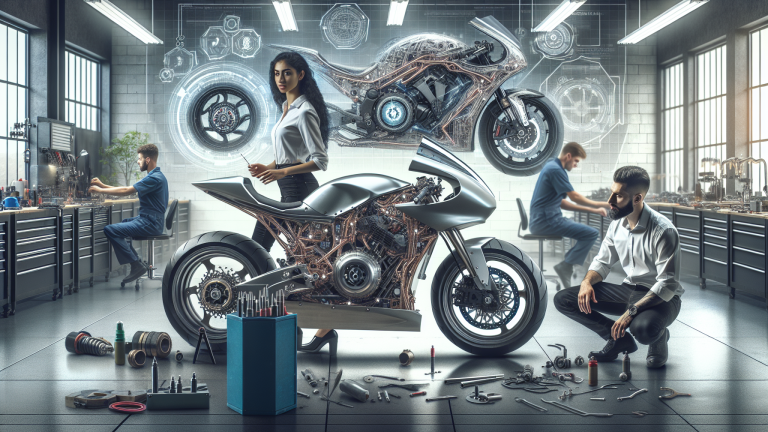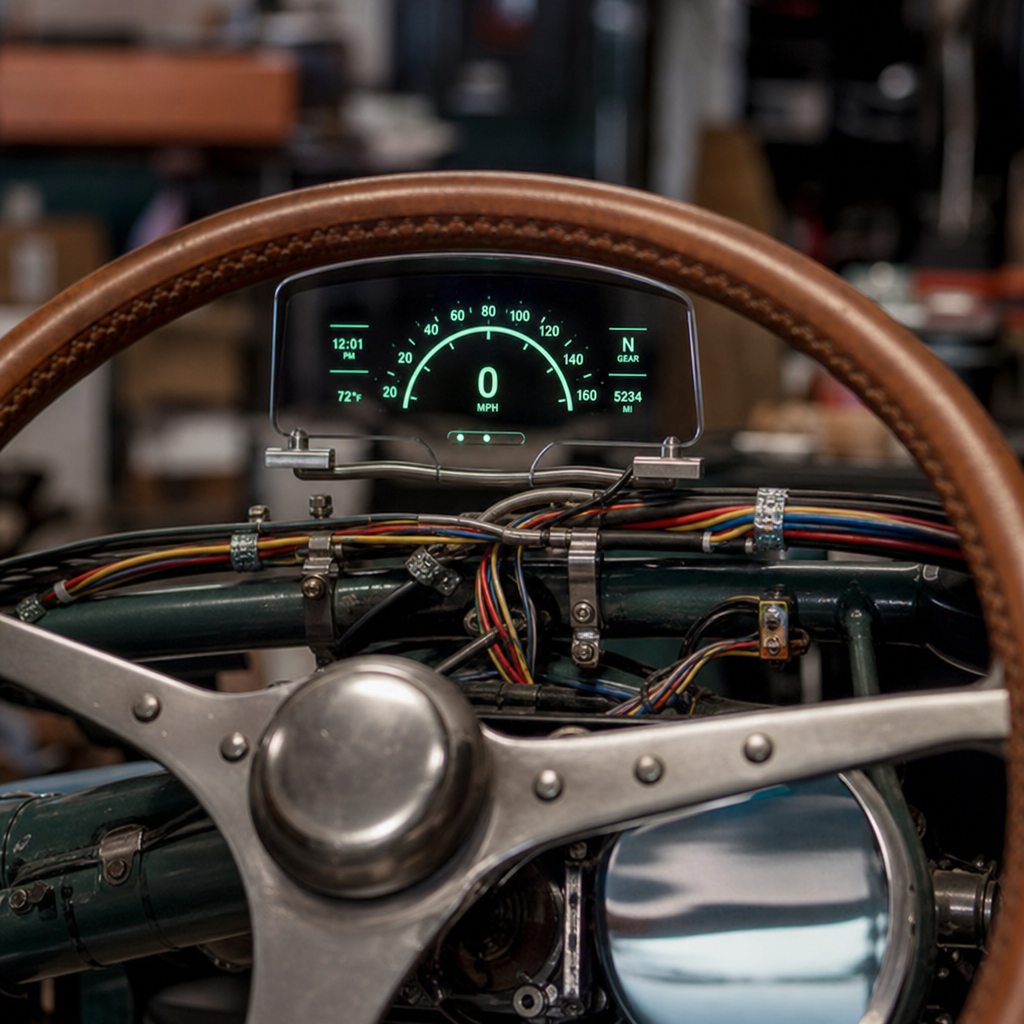
Custom wiring is where modern fabrication technology stops being a buzzword and starts becoming visible, useful, and rideable, especially when builders retrofit smart heads-up displays into vintage motorcycle and automotive frames. In this context, a smart HUD is a compact display system that projects critical data such as speed, navigation, battery voltage, gear position, or engine warnings into the rider’s or driver’s line of sight. A vintage frame is any older chassis, often steel tube or stamped construction, designed long before CAN bus modules, GPS antennas, Bluetooth controllers, and compact lithium power systems existed. Integrating the two requires more than hiding wires. It means designing a reliable electrical architecture, fabricating mounts that respect the original geometry, and choosing materials and routing methods that survive vibration, heat, moisture, and service work.
I have worked on builds where the visual goal was absolute restraint: no obvious screens, no modern plastic housings, and no clutter around a hand-formed tank or a delicately brazed neck. The challenge is that smart HUD systems demand clean power, stable signal paths, and careful placement. One loose ground, one harness routed too close to ignition noise, or one bracket printed in the wrong polymer can turn a clean restomod into an intermittent electrical headache. That is why this topic matters across the entire fabrication stack. Wiring now intersects directly with 3D printing, carbon composite panel work, compact sensors, and digital instrument integration. If you are building within today’s custom culture, custom wiring is not a finishing task. It is a structural design discipline that influences packaging, ergonomics, serviceability, and safety from the first mockup onward.
This hub article covers the practical foundation. It explains how to plan a wiring system for a vintage platform, how smart HUDs change the electrical and mechanical requirements, where 3D printed parts genuinely help, when carbon components complicate grounding and RF performance, and how to fabricate a harness that looks period-correct while performing to modern standards. If you are researching fabrication tech for custom builds, this is the central overview that connects the subtopics into one working method.
Start with Electrical Architecture, Not Accessories
The first mistake most builders make is buying display hardware before defining the vehicle’s electrical architecture. Vintage machines often began with a minimal loom: ignition, charging, lighting, horn, and maybe simple gauge feeds. A smart HUD adds a processor, display backlight, sensors, GPS, communication radios, and often a controller or smartphone bridge. That changes current draw, grounding strategy, fuse allocation, and startup behavior. Before selecting components, map the entire system on paper or in software such as AutoCAD Electrical, Visio, or even a disciplined spreadsheet-backed wiring matrix. At minimum, identify power source, charging capacity, switched and unswitched circuits, sensor inputs, communication lines, environmental exposure points, and all service disconnects.
On vintage motorcycle frames, I usually divide the system into five branches: charging and battery, ignition and engine management, lighting, rider interface, and accessories. The HUD belongs in the rider interface branch, but its dependencies cross into the others. If the display reads wheel speed, tach signal, turn indicators, high beam status, oil pressure, or neutral, each signal must be conditioned for the HUD’s acceptable voltage range. Older systems can produce noisy analog signals and large transients. The industry standard fix is not guesswork; it is proper use of relays, solid-state power distribution where appropriate, transient voltage suppression, and dedicated sensor grounding. Deutsch DT connectors, TE Connectivity sealed terminals, adhesive-lined heat shrink, and Raychem DR-25 loom are common choices because they withstand vibration and fluids better than generic automotive connectors.
For motorcycles running permanent magnet charging systems, pay special attention to regulator quality and ripple voltage. A cheap regulator-rectifier can create enough instability to cause display flicker or processor resets. On vintage cars with generators or early alternators, verify idle charging performance before blaming the HUD. Smart displays are less forgiving than incandescent bulbs. If supply voltage drops below threshold during cranking, the system may boot slowly or fail to log data. A small delayed-accessory relay or isolated power buffer can solve that problem cleanly.
Packaging a HUD into a Vintage Frame Without Ruining the Build
Physical integration determines whether the project looks intentional or improvised. A smart HUD must sit where the rider or driver can read it quickly without blocking the road view or fighting the original silhouette. On a vintage motorcycle, that usually means one of three strategies: a discreet bar-clamp pod, a nacelle-integrated display behind tinted acrylic, or a tank-level projection arrangement using a compact combiner. On vintage automotive frames and dashboards, the choices are usually dash-top projection, cluster replacement, or a hidden flip-up module. Each option changes wiring length, connector access, thermal exposure, and vibration loading.
Mockup is mandatory. I start with foam, cardboard, and temporary brackets before committing to aluminum, printed polymers, or carbon skins. The goal is to verify sightline, steering clearance, fork compression clearance, and maintenance access. A HUD that looks perfect on the stand may become unreadable in sunlight or strike the tank at full lock. Builders who skip this step often end up moving ignition switches, warning lamps, or control cables after paint, which is expensive and avoidable.
Vibration deserves special attention because vintage frames transmit more of it than many modern platforms. Thin stamped brackets resonate. Unsupported display housings crack at corners. Fastener retention matters. Use threadlocker matched to service temperature, flange-head hardware where possible, and rubber isolation only when it does not introduce display blur. In several builds, I found that a semi-rigid mount with a controlled elastomer interface outperformed a fully soft mount because it limited high-frequency chatter without allowing large-amplitude movement. That kind of tuning is fabrication, not cosmetics.
How 3D Printing Fits Into Smart Wiring and Display Fabrication
3D printing is one of the most useful fabrication technologies in this space because it reduces design risk before final machining or composite layup. Builders use it for sensor brackets, wire guides, connector docks, switch housings, HUD bezels, lens retainers, and routing clips tailored to odd vintage geometry. The key is material selection. PLA is useful for visual prototypes but unsuitable for under-dash summer heat or engine-adjacent mounting. PETG works for light-duty interior parts, but nylon, carbon-filled nylon, ASA, and polycarbonate blends are better choices when heat resistance and toughness matter. If the part sits near a headstock, oil tank, or firewall, verify heat deflection temperature instead of assuming any engineering filament is safe.
I treat printed parts as functional prototypes until they prove themselves on the vehicle. For example, a printed connector tray hidden beneath a motorcycle tank can solve three problems at once: it fixes service disconnect positions, prevents abrasion against the frame backbone, and shortens unsupported wire runs. Once the geometry is validated, you can keep the printed part if the material and load case are appropriate, or use it as the pattern for CNC aluminum or composite tooling. That is where fabrication tech becomes efficient rather than trendy.
| Fabrication choice | Best use in HUD integration | Main advantage | Main limitation |
|---|---|---|---|
| FDM nylon | Wire guides, hidden brackets, connector trays | Tough and fast to iterate | Surface finish and dimensional variation |
| Carbon-filled nylon | Bezel prototypes, rigid housings, compact mounts | Higher stiffness with low weight | Can be brittle in thin sections |
| CNC aluminum | Final mounts in high-vibration zones | Excellent durability and precision | Higher cost and longer lead time |
| Carbon composite | Panels, housings, aerodynamic covers | Light and visually premium | Grounding and RF considerations |
Design for service. Add drain paths, wire exit radii, and captive hardware where possible. A beautiful hidden bracket that requires disassembling the front end to unplug one display connector is poor fabrication. Smart wiring should disappear visually, not become impossible to maintain.
Carbon Fiber Changes Grounding, Shielding, and Mounting Assumptions
Carbon composite parts are increasingly common in the new generation of custom builds, from headlight nacelles to dash inserts and under-seat trays. They save weight and allow highly tailored shapes, but they complicate electronics integration. Carbon fiber is electrically conductive, though not in the same uniform way as a dedicated metal ground plane. That means you cannot treat a carbon panel like painted fiberglass, and you should not casually rely on it for grounding either. If a harness chafes against exposed carbon edges, insulation damage can become an electrical fault. If an antenna or GPS receiver is placed beneath a carbon shell, signal attenuation may reduce performance depending on the layup and placement.
The practical answer is straightforward. Use dedicated ground conductors back to a common ground bus or star grounding point. Protect all pass-throughs with grommets or bonded edge trim. Keep antennas and GPS pucks in verified reception zones, often beneath nonconductive covers or near glass rather than under carbon skins. On a recent restomod dash, relocating a GPS antenna from below a carbon eyebrow to the top side of the dash shell improved satellite lock time dramatically. The display software was fine; the packaging was wrong.
Mounting to carbon also requires load spreading. Small washers can crush laminate or print through clear-coated surfaces. Bonded inserts, aluminum backing plates, or potted hard points are better engineering. When carbon is part of the visible design language, wiring discipline matters even more because a premium material highlights cheap electrical work immediately.
Building a Harness That Looks Period-Correct and Performs Like Modern OEM Work
The best custom harnesses do two jobs at once: they disappear into the build aesthetically, and they behave predictably under real use. Period-correct does not mean using outdated materials. It means choosing modern wire, insulation, and connectors, then routing and finishing them so the result respects the era of the frame. Cross-linked automotive wire such as TXL, GXL, or SXL offers better temperature and abrasion resistance than many older PVC-insulated conductors. Proper gauge selection is not optional. Voltage drop calculations matter for displays, USB power modules, pumps, and LED lighting because electronic devices are more sensitive than old analog gauges.
Every harness should begin with a diagram, a branch plan, and labels. I prefer printed heat-shrink markers at both ends of every conductor before final looming. Future diagnostics become dramatically faster. For protection, braided sleeve can work in visible areas, while DR-25 or woven cloth loom gives a cleaner, more intentional look in hidden zones or on high-end builds. If the visual goal is heritage style, cloth-overbraid can be used selectively, but not as an excuse to skip sealing and strain relief in exposed locations.
Splices are where amateur work usually reveals itself. Open-barrel crimps using the correct die are more reliable than many hand-soldered joints in high-vibration environments. Where solder is appropriate, support the transition and seal it properly. Avoid stacking ring terminals on one stud until the assembly resembles a coin roll; install a proper distribution block or busbar. The old custom scene often tolerated electrical improvisation because systems were simple. Smart HUD integration removes that margin. The display becomes the witness for every weakness in the loom.
EMI management is another non-negotiable point. Route signal wires away from ignition coils, plug leads, injectors, and charging components when possible. Use twisted pair for susceptible low-voltage signals, shielded cable for sensitive data lines if the device manufacturer specifies it, and terminate shielding correctly. Ground loops cause strange problems, including fluctuating sensor readings and display noise. Builders often chase software bugs that are actually harness layout errors.
Sensor Inputs, Data Sources, and Calibration for Useful Real-Time Information
A smart HUD is only as good as the data it receives. Vintage platforms rarely provide clean digital outputs, so integration often means creating them. Speed can come from a wheel sensor, transmission output sensor, GPS, or a conversion interface tied to an existing cable-driven speedometer output. Engine rpm may require a tach adapter if the ignition signal is too noisy or at the wrong amplitude. Oil pressure and temperature usually need modern senders matched to the display’s input curve. Fuel level is a frequent trap because older senders may use uncommon resistance ranges; use a configurable interface rather than forcing an incompatible gauge profile.
Calibration should happen in stages. First verify raw sensor values with a multimeter, oscilloscope, or scan tool equivalent if the system offers diagnostics. Then check displayed values at rest. Finally, road-test under controlled conditions and compare against a known reference such as GPS speed, an infrared thermometer on external surfaces, or a mechanical backup gauge. In one build, a customer complained that the new HUD overstated engine temperature. The issue was not the display but the sender location, which had been placed in a stagnant pocket rather than in active coolant flow. Data quality depends on sensor placement as much as electronics.
Think carefully about what deserves space in the rider’s line of sight. Speed, navigation prompts, warning states, and turn-by-turn cues are usually useful. Constant battery graphs, decorative animations, and low-priority telemetry often become distractions. A good HUD reduces cognitive load. It does not turn a vintage machine into an unreadable consumer device.
Testing, Documentation, and the Long-Term Reliability Standard
Before final wrapping and paint-adjacent installation, bench-test the harness with the actual display, sensors, and power source. Verify current draw, boot behavior, connector retention, and fault responses. Then perform installed tests for steering sweep, suspension travel, thermal soak, rain exposure, and charging-system behavior across the rev range. If the vehicle will see track use or rough roads, add vibration inspection after the first hundred miles. Look for witness marks, rubbed insulation, loose P-clamps, and connector back-out. These are not minor finishing details. They determine whether the system becomes trusted equipment or a recurring workshop problem.
Documentation is part of fabrication quality. Deliver a pinout chart, fuse map, routing photos, and parts list with exact connector series, terminal types, and wire colors. That single step separates professional custom work from mystery looms nobody wants to touch later. As this fabrication tech hub makes clear, 3D printing, carbon construction, and custom wiring are not separate trends. They are linked tools in one build process. Plan the electrical system early, prototype mounts intelligently, respect the realities of composite materials, and build harnesses to a standard you can diagnose years later. If you are developing a vintage-frame project with modern interfaces, use this framework as your starting point, then carry the same discipline into every subtopic build article that follows.
Frequently Asked Questions
1. What makes integrating a smart HUD into a vintage frame more complicated than wiring one into a modern vehicle?
Retrofitting a smart heads-up display into a vintage motorcycle or automotive frame is more involved because the original chassis and electrical architecture were never designed to support digital electronics, low-voltage sensors, or data-driven displays. Most vintage frames were built around simple, isolated circuits for ignition, lighting, charging, and basic instrumentation. A smart HUD, by contrast, often expects clean power delivery, stable grounding, consistent signal inputs, and protection from voltage spikes, vibration, heat, and moisture. That creates a mismatch between old-school mechanical simplicity and modern electronic sensitivity.
Another major factor is packaging. Vintage frames, especially steel tube designs, usually offer limited hidden space for wire routing, modules, power conditioning components, and connectors. Builders cannot just tuck a display harness into an existing electronics bay because one often does not exist. They must plan every run carefully to preserve steering movement, suspension travel, serviceability, and the visual integrity of the build. On a restoration or period-inspired custom, even one visible loom in the wrong place can ruin the look.
Signal compatibility is also a common hurdle. A smart HUD may need inputs for speed, gear position, warning indicators, battery status, turn signals, or navigation triggers. Vintage machines may not produce those signals in a form the HUD can read directly. Mechanical speedometers, analog senders, older charging systems, and points-based ignition setups often require adapters, signal converters, or entirely new sensors. In other words, the job is not just “connect a display.” It is often “create a modern information network inside an old vehicle without compromising reliability or character.”
2. What electrical upgrades are usually necessary before a vintage frame can reliably support a smart HUD?
In most cases, the first priority is stabilizing the power system. A smart HUD needs dependable voltage, and many vintage charging systems are marginal even for stock loads. Builders often begin by evaluating the stator or alternator output, regulator/rectifier condition, battery health, and overall current capacity. If the machine still runs an outdated charging setup or weak battery, those components may need to be upgraded before the HUD is even considered. A modern display does not tolerate the same electrical inconsistency that an old incandescent lamp or analog gauge might survive.
Next comes the wiring itself. Original harnesses on older builds may be brittle, undersized, poorly grounded, or altered by decades of repairs. For that reason, many experienced fabricators either rework the harness substantially or build a new one from scratch. That allows them to add proper fused circuits, relays where appropriate, shielded signal lines if needed, and clean, dedicated grounds. It also gives them the chance to separate noisy high-current circuits from sensitive display and sensor wiring, which helps prevent false readings, flicker, and intermittent HUD behavior.
Power conditioning is often overlooked but extremely important. Depending on the display system, the builder may add inline voltage regulation, transient suppression, noise filtering, and weather-sealed connectors. These components protect the HUD from overvoltage events, startup surges, ignition noise, and the environmental stress that comes with a vehicle or motorcycle application. If the HUD includes GPS, Bluetooth, or app-based features, that clean power becomes even more important.
Finally, sensor modernization may be required. If the HUD needs digital speed, gear, temperature, or warning data, the builder may install pulse generators, hall-effect sensors, pressure switches, temperature senders, or CAN-compatible interfaces, depending on the setup. The exact upgrades vary, but the principle is consistent: before the HUD can become useful, the underlying electrical system has to be made trustworthy. The display is only as good as the power and data feeding it.
3. How do builders hide custom wiring in a vintage frame without making future maintenance a nightmare?
The best builders approach hidden wiring as a balance between aesthetics, durability, and serviceability. Clean visual integration matters, especially on a vintage frame where exposed fabrication details are part of the appeal, but burying wires so deeply that nothing can be accessed later is a costly mistake. A smart HUD installation should be designed like a system, not a magic trick. That means planning routing paths before final assembly, identifying likely service points, and making sure connectors, fuses, and modules can be reached without dismantling half the vehicle.
One common approach is to run wiring through frame tubes where possible, but only after carefully assessing structural integrity and fabrication standards. Holes for entry and exit points must be placed thoughtfully, reinforced when necessary, and finished correctly to avoid chafing. Builders typically use grommets, bulkhead fittings, abrasion-resistant sleeving, and internal fish lines during assembly. On bikes and classic chassis with limited tube diameter, they also have to account for bend radius, heat exposure, and vibration so the harness does not become damaged over time.
Where internal routing is not practical, fabricators often use visually discreet external paths. They may follow factory-style routes along the underside of the backbone, inner frame rails, under tank tunnels, behind dash structures, or inside custom-made channels and covers. The goal is not always total invisibility. Sometimes the smarter choice is a well-executed, period-respectful loom that can be inspected and repaired easily. That is especially true in high-vibration applications where hidden failures are harder to diagnose.
For maintenance, modular design makes a huge difference. Builders should avoid hardwiring everything into one uninterrupted harness. Instead, they use labeled connectors, service loops, removable sections, and central junction points. The HUD, sensors, and power modules should be isolatable for troubleshooting. If the headlight shell, tank, dash panel, or fairing has to come off, the system should disconnect cleanly. In a quality retrofit, hidden wiring does not mean inaccessible wiring. It means intentional wiring that preserves the vintage look while still respecting the realities of ownership and repair.
4. Can a smart HUD work with original vintage components like mechanical speedometers, old charging systems, and analog warning lights?
Yes, but usually not directly. A smart HUD can coexist with many original components, but compatibility depends on how the display gathers information and what kind of signals the vintage hardware can provide. Mechanical speedometers, for example, do not naturally output a digital signal a HUD can read. To solve that, builders often add a separate wheel sensor, gearbox pickup, or hall-effect trigger to generate a speed pulse while leaving the original speedometer in place for appearance. That lets the vehicle retain its classic instrumentation while feeding modern data to the HUD.
Charging systems are a little more critical. An old charging system may technically power the vehicle, but the question is whether it provides stable enough voltage for digital electronics. If voltage fluctuates heavily at idle, spikes under load, or struggles with added accessories, the HUD may reset, dim, or misread information. In some cases, a voltage stabilizer or regulator upgrade is enough. In others, the charging system needs more substantial modernization. Keeping originality is possible, but it should never come at the expense of system reliability.
Analog warning lights and senders can often be integrated through relays, signal converters, resistor networks, or dedicated interface modules. For example, an oil pressure switch or neutral light circuit may be simple enough to feed both a traditional indicator and a HUD input with proper isolation. More complex data, such as fuel level or engine temperature, may require calibration or replacement senders to produce meaningful digital readings. The main issue is not whether old and new can coexist. It is whether the builder understands how to translate older signal behavior into something the HUD can interpret accurately.
Many successful retrofits preserve the original gauges for style while using the HUD as a supplemental display for navigation, voltage, gear indication, or alerts. That hybrid approach often works best because it respects the character of the vintage machine without pretending old hardware can do a modern system’s job unassisted. With the right interfaces and realistic expectations, original components and smart display technology can absolutely live together.
5. What are the biggest safety and reliability mistakes to avoid when adding a smart HUD to a vintage motorcycle or automotive frame?
The biggest mistake is treating the HUD as a cosmetic add-on instead of a mission-critical electrical device. Because it sits in the rider’s or driver’s line of sight and may display speed, navigation, voltage, gear, or warning information, a poorly installed unit can become distracting, misleading, or completely unreliable. If the wiring is not protected properly, if grounds are weak, or if sensor data is unstable, the HUD can show false information at exactly the wrong time. On a motorcycle especially, that is not just inconvenient; it can be dangerous.
Another common error is underestimating environmental stress. Vintage frames transmit vibration, heat, and movement in ways modern electronics do not love. Builders who use household connectors, poor crimps, cheap solder joints, inadequate strain relief, or unsealed splices often end up with intermittent failures. Every wire route needs to be evaluated for steering movement, engine heat, suspension travel, abrasion points, and water exposure. A harness that looks perfect on the bench may fail quickly on the road if those factors are ignored.
Bad grounding is one of the most frequent causes of electrical gremlins in custom work. Many builders assume the frame can serve